


Alamo - Car Rental
4.71.64K Reviews
App Specs
- Version
- 7.19.0.6358
- Updated On
- License
- Free
- Downloads
- 500,000+
- Developer
- EAN Services, LLC
- Categories
- Travel & Local
- Platform
- Android
Screenshots
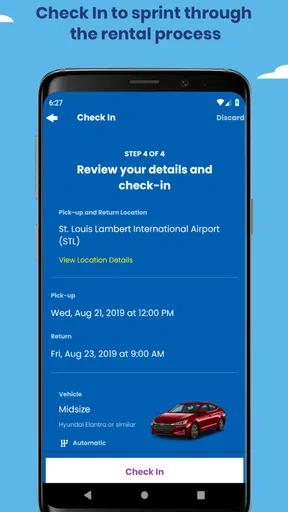
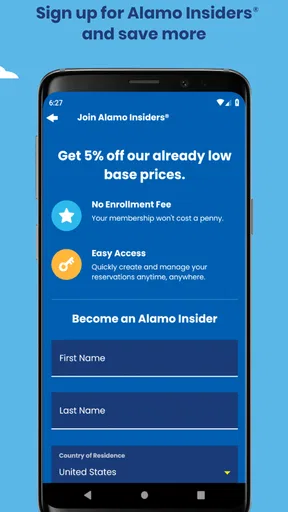
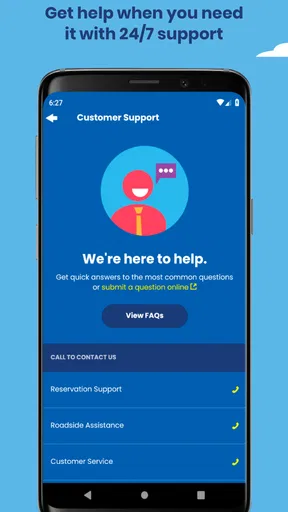
 Analysis by AppCompare
Renting a car can feel unnecessarily complicated when you are already dealing with flights, luggage, hotel check-in, and an unfamiliar city. I found Alamo - Car Rental most useful when I wanted to move from “I need a car” to a clear rental plan without jumping between several travel websites. It is a free Travel & Local app from EAN Services, LLC, aimed at finding Alamo rental options and managing the early part of the booking journey.
The important thing to understand before installing it is that this is not a general trip planner or a full travel marketplace. Its focus is narrower: helping you look for an Alamo rental, review the available choices, and continue toward a reservation. That narrow purpose is actually a strength for someone who already knows they want to rent through Alamo. If you are comparing every rental company in town, though, you may still need another service alongside it.
Getting from installation to a useful rental search
I use the first search to turn a vague travel need into a practical plan: where I’ll collect the car, when I’ll need it, and what kind of vehicle makes sense. Before moving on, I also consider how the pickup point fits the rest of my arrival, so the next section can focus on making those choices with care rather than browsing at random.
What to expect when you open it
My first impression was that the app makes more sense when I treat it as a booking tool rather than a place to browse casually. The useful starting point is the rental search: I enter the location and travel details, then inspect the available choices instead of expecting the app to design the entire trip for me. That distinction helps avoid disappointment. It is built around the car portion of a journey, not flights, hotels, sightseeing, or public transport.
The app has a 4.7 average from around 6,100 ratings, with roughly 1,600 written reviews and over 500,000 installs. Those figures suggest that it has found a real audience, but I would not use popularity as a substitute for checking the details of my own rental. A good experience still depends on the pickup location, dates, vehicle category, and the terms shown during the reservation process.
Because the app is free and rated for Everyone, it is easy to try without turning the first step into a financial commitment. The current release is 7.18.0.6308, and it supports devices running Android 8.0 or later. I would still make sure the phone has enough battery and a reliable connection before searching at an airport or while standing outside a station, because that is exactly when a slow or interrupted booking session becomes annoying.
The wording around “Drive Happy” gives the product a friendly tone, but the practical value comes from how quickly I can reach a relevant rental result. I do not need a long introduction before making a search. For a first-time user, that is reassuring: the app is easier to understand when I focus on one concrete question, such as whether a suitable car is available for a weekend visit.
Worth Reading Before You Choose

EA SPORTS FC Mobile 26 Is a Bigger Football Game, but It Takes Time

Flipboard Shows What News Apps Must Do Beyond the Feed

Switching to Android Auto Means Rethinking Your Driving Routine

Google Calendar Makes a Crowded Week Easier to Manage

Ludo King Makes the Most of the Minutes Between Plans

Baby Panda World Brings Quick Play to Modern Phones, but Its Game Library Feels Busy
Setting up the first search without guessing
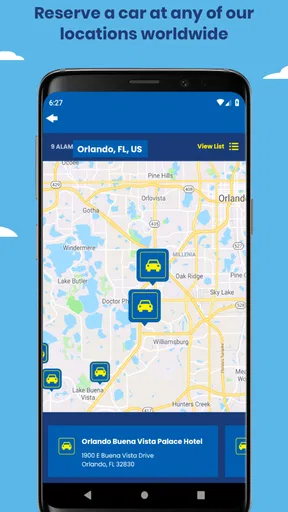
I recommend beginning with the exact pickup area rather than typing the name of a broad destination and assuming the result will be convenient. An airport location, downtown branch, and neighborhood branch can produce very different practical experiences even when they are in the same city. The right choice depends on how I will arrive, where I will sleep, and whether I want to drive immediately after landing.
Dates deserve the same care. I check the pickup time against my actual arrival plan and allow room for baggage collection, delays, and the trip from the terminal to the rental area. For a return, I think about the final activity before the rental ends, not just the time my flight departs. A booking that looks cheap or convenient can become stressful if the schedule leaves no margin.
One useful habit is to search twice when my plans are flexible: once for the ideal time and once with a modest adjustment. I am not doing this to chase a guaranteed lower price; I am checking whether the location or vehicle choices change. That comparison can reveal whether my preferred branch is the practical option or whether a nearby pickup point gives me a better fit.
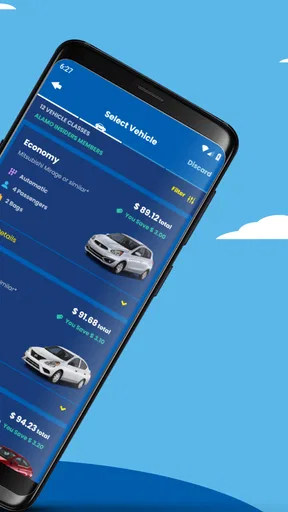
I also pay attention to the vehicle category instead of imagining a specific make or model. Rental searches normally organize cars by category, and that matters more than a picture that happens to look appealing. If I am carrying large bags, traveling with children, or driving through an area where roads are difficult, I choose based on usable space and comfort rather than assuming the displayed example is exactly what I will receive.
The app is most helpful when I already know the basic shape of my trip. It does not replace the planning decisions that belong to me: how many people are traveling, how much luggage we have, whether a smaller car is enough, and whether the pickup point fits the itinerary. Making those decisions before searching keeps the result screen from becoming a confusing list of possibilities.
The first successful action: completing a meaningful search
For me, the first real success is not installing the app or opening a menu. It is reaching a result that matches a real journey and understanding what I would do next. I enter the location, pickup and return details, review the vehicle choices, and select the option that fits the trip rather than simply tapping the first result.
At this stage, I slow down and read the information attached to the choice. I look for the rental location, the dates and times, the vehicle category, and the total conditions presented before continuing. This is where a few extra seconds can prevent a major misunderstanding. A car that appears suitable at a glance may be inconvenient because of its branch location or because the category does not match my luggage needs.
A realistic example is a three-day visit where I land in the afternoon, spend the first night near the airport, and drive to another town the next morning. I would compare an airport pickup with a nearby branch rather than automatically choosing the airport. The airport option may be simpler immediately after landing, while another location might suit a later pickup better. The app helps me examine that choice, but I still have to connect it to the rest of the itinerary.
Another useful workflow is to search before the trip, then revisit the reservation details when the journey is closer. I use that second look to confirm that the location and times still match my plans. This is especially valuable when a flight schedule, hotel, or meeting changes. The app should be part of my preparation, not something I open for the first time while rushing through an unfamiliar terminal.
I would not assume that reaching a vehicle result means every decision is finished. I continue through the displayed booking steps carefully and keep the important rental details accessible. If the app presents a confirmation or reservation reference, I save it in a place I can reach without relying entirely on memory or a weak signal. That simple habit has more practical value than repeatedly browsing the same cars.
Where first-time renters commonly get confused
The biggest source of confusion is the difference between a vehicle category and a guaranteed individual car. I remind myself that selecting a category is not the same as reserving a particular color, model, or exact configuration. If the trip depends on a very specific type of vehicle, I treat the category description as the key information and avoid building an itinerary around a single pictured car.
Location names can also mislead. “City” and “airport” are not interchangeable pickup points, even if both appear under the same destination. I check the branch carefully and consider how I will reach it. A cheaper-looking option can be a poor choice if it requires a long transfer, an awkward detour, or a separate change to my arrival plan.
Time selection is another area where I take care. I use the actual expected pickup time, not simply the flight departure or hotel check-in time. For returns, I leave enough room to refuel or deal with an unexpected delay before reaching the branch. The app can record the times I choose, but it cannot know how long my personal journey through traffic, luggage collection, or a busy terminal will take.
I also avoid treating the first visible total as the only number that matters. The final cost of a rental can depend on the selected details and the terms shown during the booking process. I read the screen from top to bottom, check what is included in the displayed choice, and avoid rushing because a result looks attractive. This is one of the strongest reasons to use the app calmly at home rather than hurriedly on travel day.
Another point worth remembering is that the app is tied to Alamo rather than acting as a neutral comparison engine for every provider. That is not a flaw if Alamo is the company I want. It is a limitation if my top priority is finding the absolute lowest option across multiple brands. In that situation, I would use a broader comparison service first, then decide whether booking directly through Alamo offers the clarity I prefer.
How it compares with the usual alternatives
Compared with searching through a general travel marketplace, this app feels more focused. A marketplace can be useful when I want to compare many companies, locations, and offers in one place. The trade-off is that the interface may include more unrelated travel information and more layers between me and the actual rental provider. Alamo’s app is better suited to the person who has already narrowed the choice to Alamo and wants a direct path.
Compared with using a mobile browser, the dedicated app can feel more convenient for repeat searches because I do not have to find the correct rental page again. It also keeps the rental task separate from a crowded browser session full of flights, hotel tabs, maps, and email. On the other hand, a browser may be preferable on a shared device, an older phone, or when I want to compare several providers side by side without switching applications.
Compared with calling or visiting a branch, searching in the app gives me more control over the initial decision. I can review the location and timing at my own pace instead of trying to remember several options from a conversation. A branch or phone call may still be better when my situation is unusual and I need personal guidance before committing. The app is strongest for straightforward planning, not for replacing every human interaction.
There is also a difference between direct booking and price hunting. A broad comparison tool may expose more alternatives, while a direct app can make the selected provider’s process easier to follow. I decide which matters more based on the trip. For a routine rental where I value a clear provider-specific workflow, I prefer the direct route. For a complicated multi-city journey or a strict budget, I would compare more widely before choosing.
Who will get the most from it
I think the app suits travelers who already have a destination, approximate dates, and a preference for Alamo. It is also practical for people who rent occasionally and want to make the search themselves without learning a complicated travel platform. Families can benefit from comparing vehicle categories against luggage needs, while business travelers may appreciate having the car search separated from the rest of their travel planning.
It is less suitable for someone who wants a single app to organize flights, accommodation, trains, activities, and rental cars together. It is also not my first choice for a traveler whose only goal is to compare every available rental company. In those cases, a full travel marketplace or a price-comparison service may provide a wider starting point.
I would also think twice before relying on it as my only tool if my phone is incompatible with Android 8.0 or later, or if I expect to manage everything from a desktop. The app is designed for a mobile workflow, and that is convenient when I am moving around, but some people prefer the larger screen and easier document handling of a computer.
Small habits that make the experience smoother
My first tip is to search with the real branch in mind, not just the destination. Before I confirm anything, I check how that location fits the arrival and return route. This prevents the common mistake of choosing an apparently convenient result that creates extra travel at the beginning or end of the rental.
My second tip is to compare category suitability before comparing visual appeal. I consider passengers, bags, road conditions, and the amount of driving. A compact option may be perfectly sensible for one person with a small bag, while the same choice can be uncomfortable for a family. This is a better use of the result screen than focusing on the example model.
My third tip is to make a short personal checklist before opening the app: pickup location, pickup time, return location, return time, passenger count, and luggage. I then use the app to test that plan. This reduces random browsing and makes it easier to notice when a result does not actually match the trip.
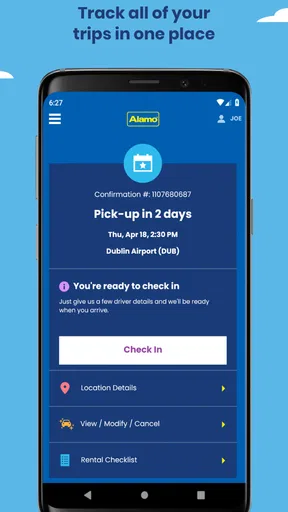
My fourth tip is to review the booking details after any major itinerary change. If a flight moves, a hotel changes, or the return journey becomes earlier, I do not assume the original rental still fits. I reopen the details and check the times and location. That extra review is particularly important when I am coordinating the car with a tightly scheduled trip.
Finally, I keep the app as one part of my travel preparation rather than my only record. I save the relevant reservation information and make sure I can identify the pickup branch when I arrive. The app can streamline the search, but good travel organization still means keeping essential details easy to find.
My final take for a first-time user
I would recommend Alamo - Car Rental to a first-time user who wants a direct way to search for an Alamo car and already has the basic trip details ready. Its free entry point, focused purpose, and straightforward rental workflow make it less intimidating than starting with a large travel platform full of unrelated choices. The best results come when I use it deliberately: choose the correct branch, enter realistic times, understand the vehicle category, and read the booking details before moving forward.
My honest reservation is that its focus can feel restrictive. If I need to compare many rental companies, coordinate several types of transport, or solve an unusual travel situation, I would use a broader service or seek direct assistance as well. The app does not remove the need for judgment, especially around location, timing, and vehicle suitability.
For a normal airport arrival, weekend road trip, business visit, or family journey where Alamo is already under consideration, it gives me a useful path from planning to action. I would install it, prepare the trip details first, run a careful search, and treat the displayed result as the beginning of an informed booking decision rather than an invitation to tap quickly. That approach is what makes the app genuinely helpful.
Pros
- Wide selection of vehicles for different trip types and budgets.
- Convenient airport and neighborhood pickup locations.
- Mobile booking makes it easy to manage reservations on the go.
- Frequent renter rewards can provide discounts and faster service.
- Optional add-ons include GPS
- child seats
- and additional driver coverage.
Cons
- Final prices may increase significantly with taxes
- fees
- and optional extras.
- Some locations have limited vehicle availability during busy travel periods.
- Policies and fees can vary considerably between rental branches.
- Damage deposits or authorization holds may temporarily reduce available funds.
- Customer support and pickup times may be less convenient at smaller locations.
FAQs for Alamo - Car Rental
What is Alamo – Car Rental, and what can I do with the app?
Alamo – Car Rental is the official mobile app for searching and managing vehicle rentals from Alamo locations. After installing it, you can look for available cars by entering a pickup location, date, and time, compare vehicle categories and prices, make or review reservations, and access rental details while traveling. The app is mainly designed to make the booking process more convenient, although availability and features can vary by country and location.
Can I use the app to reserve a rental car without creating an account?
In many cases, the app allows users to begin a reservation by entering travel and driver information, but creating or signing in to an account can make the experience more convenient. An account may help you manage upcoming and previous reservations, save personal details, and retrieve booking information more easily. Before confirming a rental, carefully check the driver requirements, payment conditions, cancellation rules, and any location-specific terms shown in the app.
What information and documents do I need to rent a car through Alamo?
The exact requirements depend on the pickup country, rental location, driver’s age, payment method, and vehicle category. Generally, renters need a valid driver’s license, an accepted payment card, and a reservation or confirmation reference. International visitors may need a passport and, in some cases, an international driving permit. Additional deposits, young-driver fees, insurance requirements, or restrictions can apply, so review the terms before arriving.
Does the Alamo app show the total rental price, including taxes and extra fees?
The app normally displays pricing details during the reservation process, but the final amount can depend on taxes, airport or location charges, optional protection products, fuel plans, additional drivers, child seats, upgrades, and other selected services. Read the price breakdown and rental conditions carefully rather than relying only on the initial daily rate. Some charges may be payable at pickup or depend on the vehicle’s return condition.
Can I modify or cancel an Alamo reservation from the app?
Reservation management options may allow you to view, modify, or cancel a booking, depending on how it was created and the terms attached to it. Changes to dates, times, vehicle types, or pickup locations can affect availability and pricing. Cancellation policies may differ for prepaid and pay-later reservations, and penalties can apply in certain situations. Always check the confirmation details and cancellation deadline before making changes.


